Security rules
Security rules decide what happens to requests that match conditions you choose: block them, allow them, only log them, or ask the browser to pass a challenge.
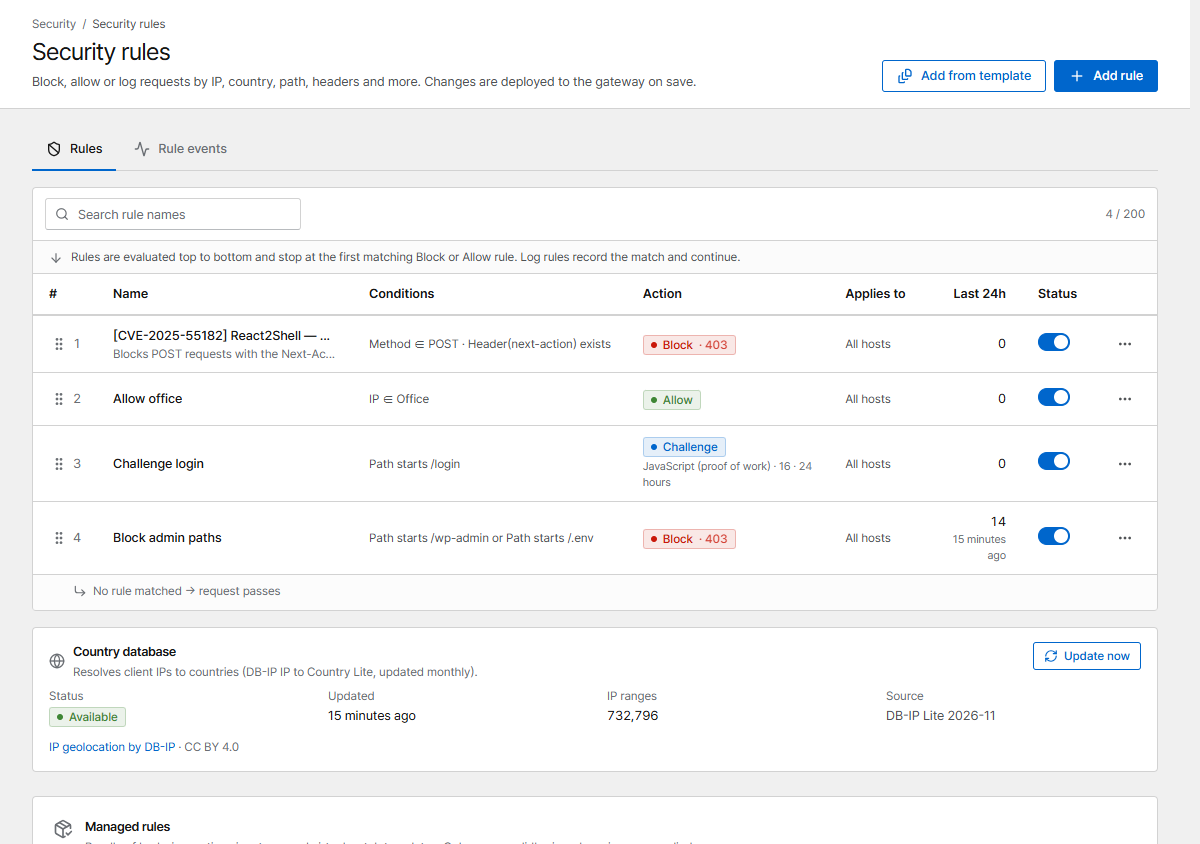
Rules are checked top to bottom. Evaluation stops at the first matching Block or Allow rule; a Log rule records the match and continues; a Challenge rule shows the challenge to visitors who haven't passed one yet. Drag a rule (or use the arrows) to change the order. If no rule matches, the request passes.
Create a rule
Click Add rule.
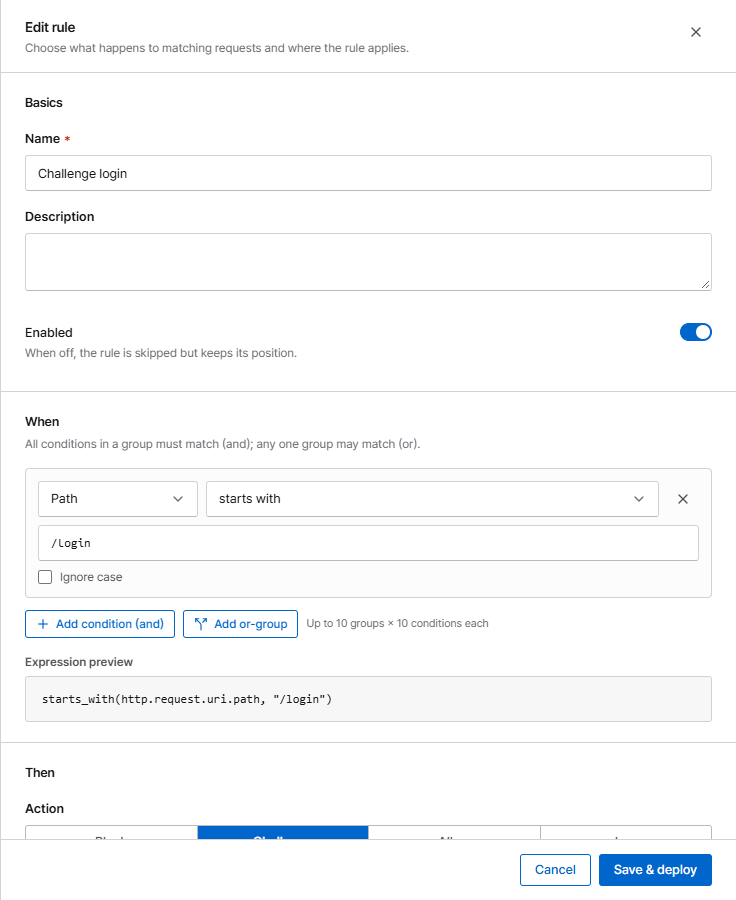
When: conditions
All conditions in a group must match (and); any one group may match (or).
| Field | Example |
|---|---|
| IP | 203.0.113.0/24, or an IP list |
| Country | CN, RU (uses the built-in country database) |
| Host, path, query | path starts with /admin |
| Method | POST |
| Header, Referer, User-Agent | User-Agent contains curl |
| User-Agent list | a User-Agent list such as bad bots |
| Request body | body contains a string (needs body inspection on the host) |
Text conditions support equals, contains, starts with, ends with and regular expressions, optionally ignoring case.
Then: action
| Action | Effect |
|---|---|
| Block | Refuse with a status code (403 default, or 401, 404, 410, 429, 444 = close the connection) and the block page |
| Allow | Let the request through and skip later rules, exploit blocking and rate limits. Also skip Basic auth lets it bypass password protection too |
| Log | Only record the match. Use it to try a new rule before you block; matches never lead to automatic bans |
| Challenge | Show a browser challenge first. See Challenge & under attack |
Applies to
All hosts, or Selected hosts.
Common recipes
Admin area only from the office
- Create an IP list Office with your office ranges.
- Rule Allow office: IP in list Office → Allow.
- Below it, rule Block admin: path starts with
/admin→ Block.
Block a country
Country in XX → Block (status 403). Start with Log for a day and look at
Rule events to see who would be blocked.
Slow down bots on the login page
Path starts with /login → Challenge (JavaScript). Real browsers pass in a second; simple
bots don't.
Let monitoring through
IP in 198.51.100.10 → Allow, at the top, so health checks are never challenged or
rate-limited.
Check what a rule does
Rule events (tab on the same page) lists every request a rule matched, newest first, with IP, country, host and path. Start new rules as Log, check the events, then switch to Block.