Certificates
Corvus gets free certificates from Let's Encrypt and renews them automatically, or uses certificates you upload.
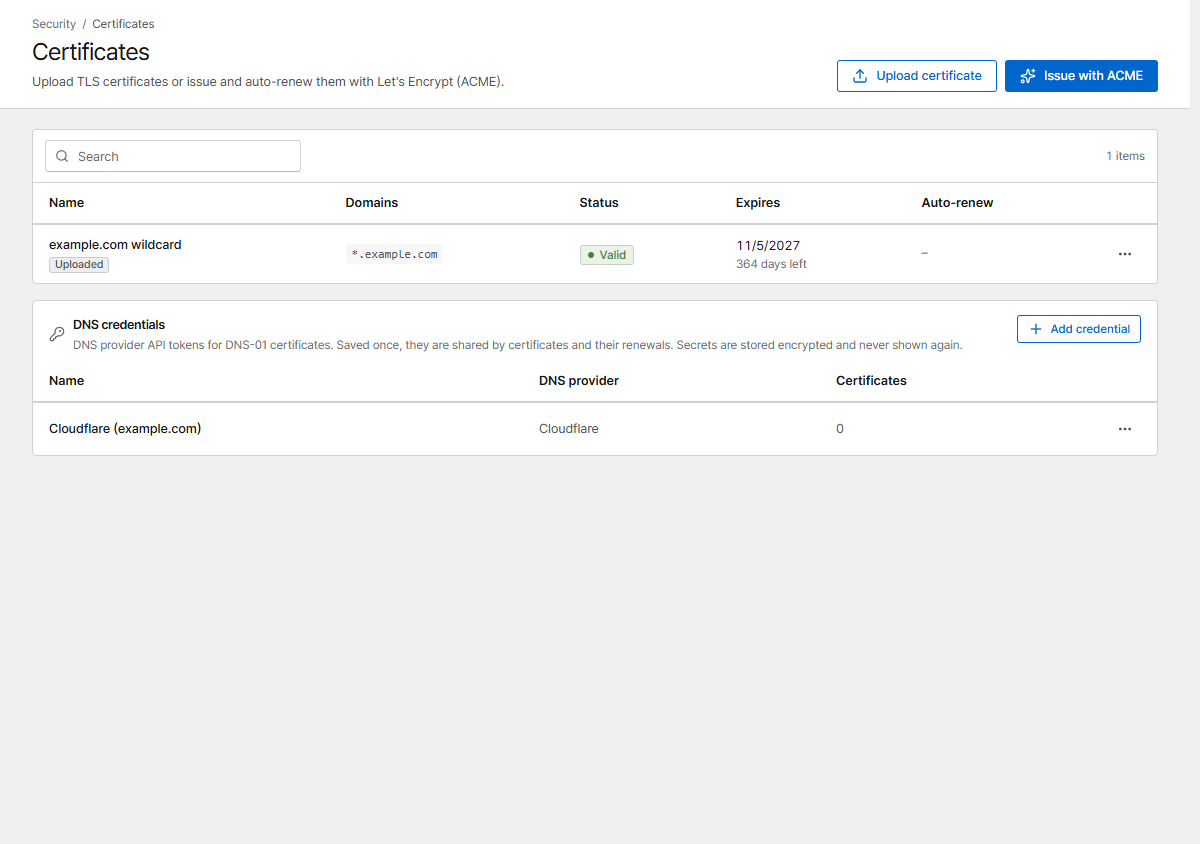
The quickest way is to request the certificate right in the proxy host form (TLS → Certificate → Request a new certificate). The Certificates page lists every certificate with its expiry date and lets you issue, upload, renew and replace them.
Let's Encrypt
Click Issue with ACME and follow the three steps (domains, validation, review). Issuing runs in the background; after a minute or two the status changes from Issuing to Valid. Certificates renew automatically 30 days before they expire.
HTTP-01 (default)
Let's Encrypt checks the domain through port 80. The domain's DNS must already point at this server and port 80 must be reachable from the internet.
DNS-01
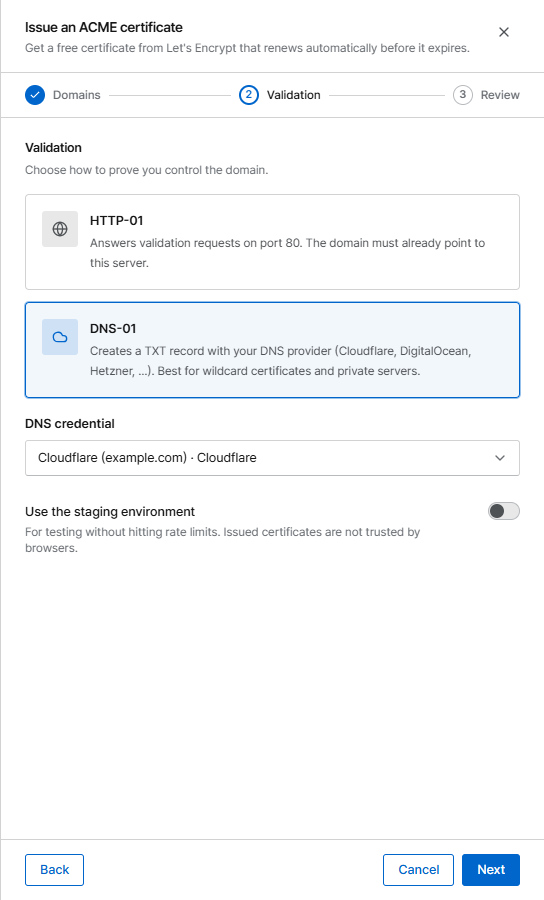
Corvus creates a TXT record with your DNS provider. Use it for wildcard certificates
(*.example.com) and for servers that are not reachable from the internet.
Supported providers: Cloudflare, DigitalOcean, DuckDNS, Gandi, GoDaddy, Hetzner, Namecheap. Create an API token at your provider that can edit DNS records and paste it into the form (for Cloudflare: permission Zone → DNS → Edit). The token is stored encrypted and never shown again.
Saved DNS credentials
You enter a token only once. The first time, it is saved as a DNS credential named after the provider (Cloudflare, then Cloudflare 2, …). Next time, the form shows a DNS credential list: pick the saved one, or choose Enter new credentials and optionally give them a Credential name. This works the same on the Certificates page and when you request a certificate from a proxy or redirection host form.

The DNS credentials card at the bottom of the Certificates page lists them with the provider and how many certificates use each one. From the row menu:
- Replace secret: enter a new token, for example after rotating it at your provider. Every certificate using the credential renews with the new token; nothing is re-issued right away.
- Rename.
- Delete: only for credentials that no certificate uses.
Add credential saves one in advance. Certificates from older versions and DNS certificates imported from Nginx Proxy Manager get saved credentials automatically, one per provider and token.
Testing
Turn on Use the staging environment while you experiment. It has no rate limits, but browsers don't trust its certificates.
Upload your own
Click Upload certificate and paste the certificate (PEM, with the chain) and its private key.
When the certificate is renewed, open the row menu and choose Replace. The certificate keeps its ID and its hosts; they are redeployed with the new one.
Another ACME CA
To use a CA other than Let's Encrypt (for example a private step-ca), set
CORVUS_ACME_DIRECTORY, and LEGO_CA_CERTIFICATES if the CA is private. See
Configuration.
Expiry warnings
The dashboard lists certificates that expire within 30 days, and the alert for certificate problems notifies you when a renewal fails.