Streams (TCP/UDP)
Streams forward a TCP and/or UDP port to another host, for services that don't speak HTTP: databases, SSH, MQTT, VPNs, game servers.
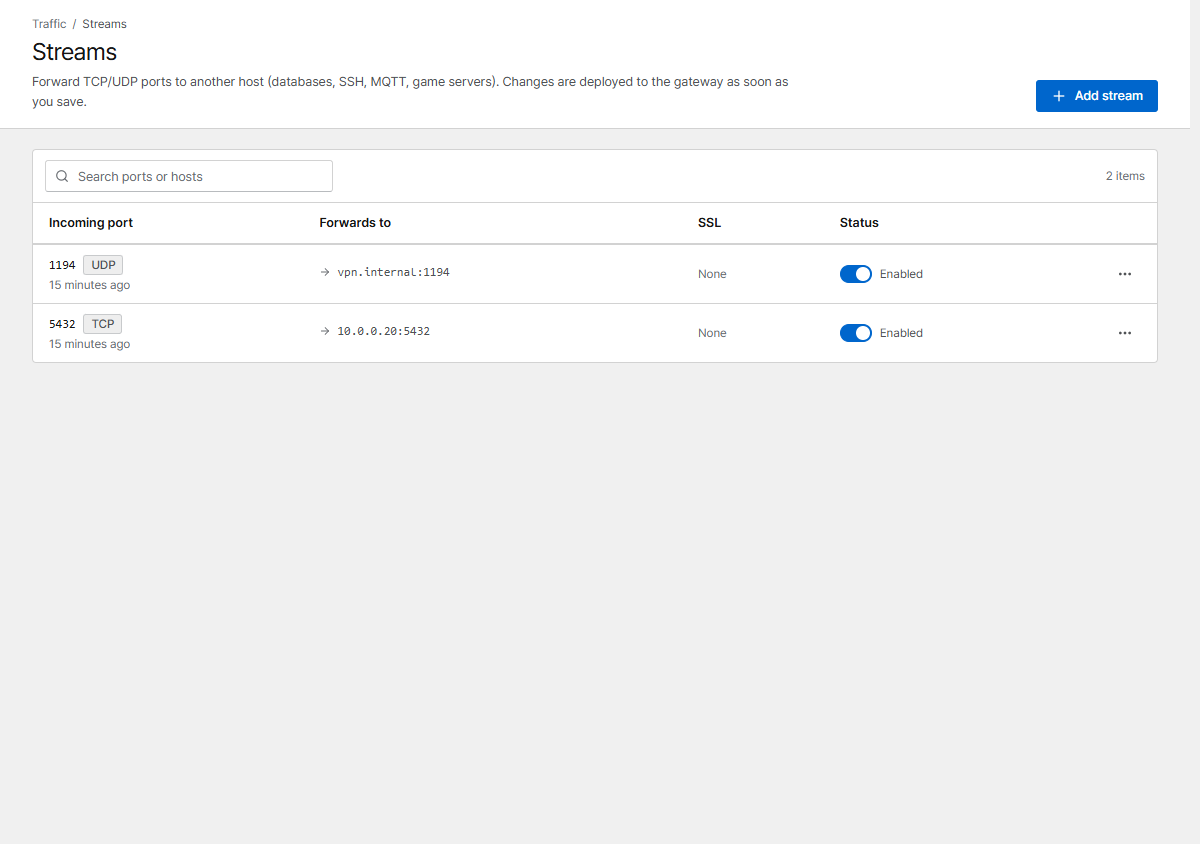
Click Add stream and set:
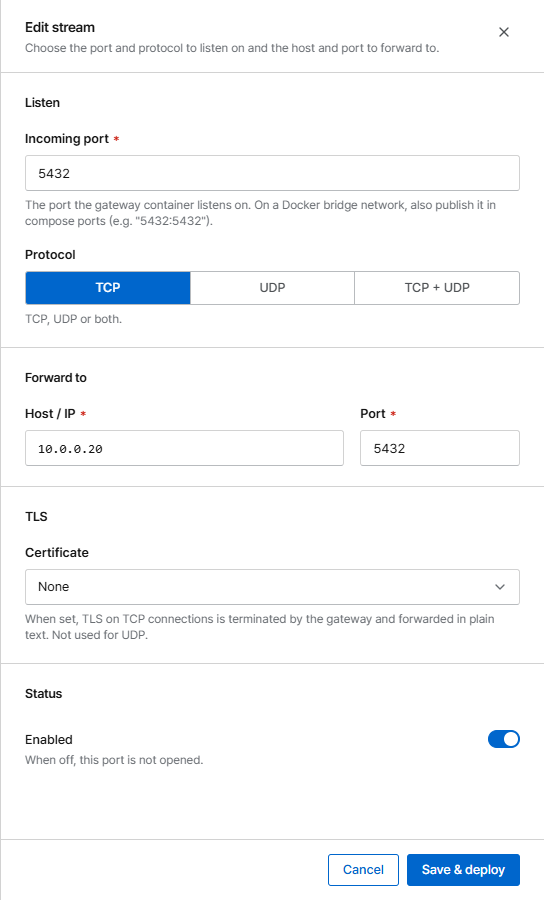
| Field | Meaning |
|---|---|
| Incoming port | The port Corvus listens on |
| Protocol | TCP, UDP or both |
| Forward to | Host / IP and port of the service (same forward targets as proxy hosts) |
| Certificate | Optional, TCP only: Corvus terminates TLS and forwards plain TCP. The TCP port opens once the certificate is issued |
Publish the port
With the default bridge network, Docker only passes the ports listed in docker-compose.yml.
Add every stream port there and apply it with docker compose up -d:
    ports:
      - '80:80'
      - '443:443'
      - '9443:9443'
      - '5432:5432'       # stream: PostgreSQL (TCP)
      - '1194:1194/udp'   # stream: OpenVPN (UDP)
With network_mode: host nothing else is needed.
Limits
- Ports Corvus uses itself (80, 443, 9443 and its internal ports) can't be used.
- Two enabled streams can't share a port and protocol.
- Streams have no request log, and IP bans and security rules don't apply to them yet. Restrict access with a firewall if needed.
Streams are imported from NPM.