Backup & restore
Everything Corvus needs lives in ./data. The most important part is secrets/: it holds the
keys that decrypt MFA secrets and DNS tokens in the database.
Download a backup
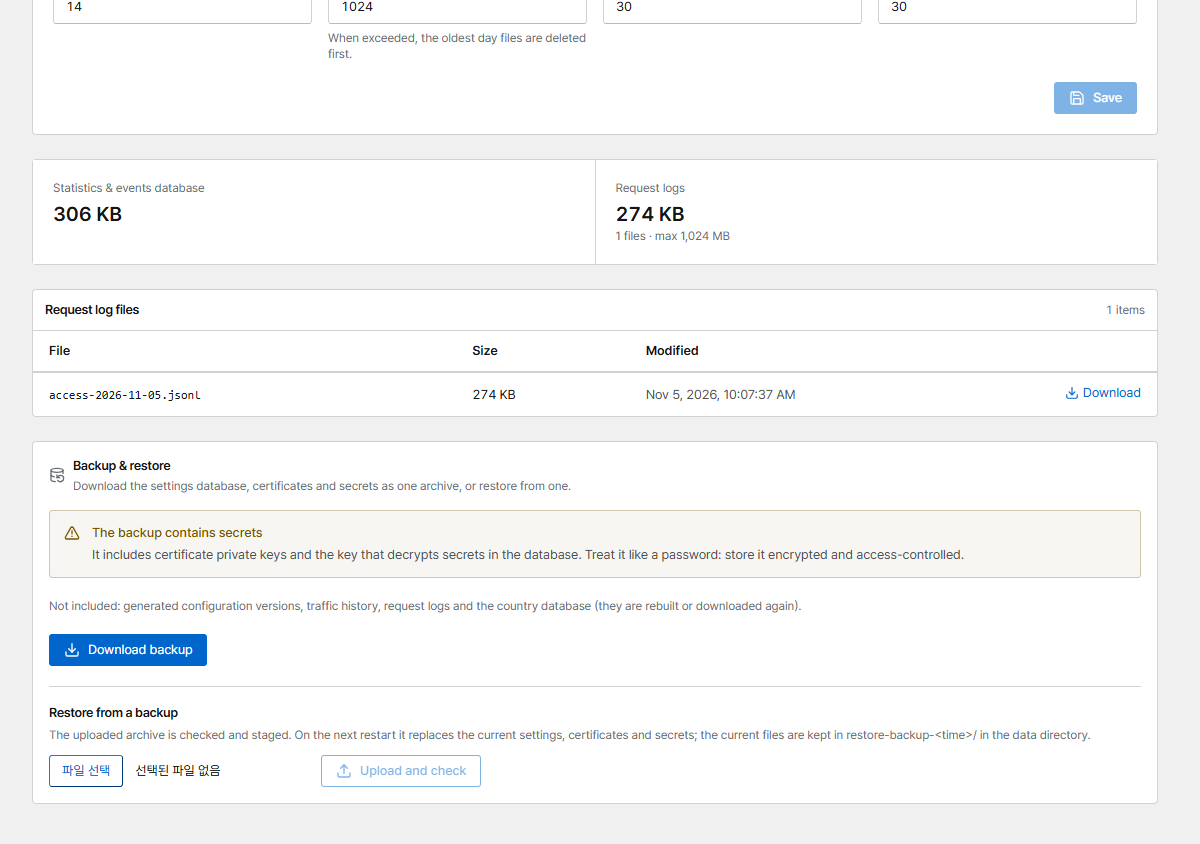
Open Data retention → Backup & restore and click Download backup (administrators, signed in with a browser; API tokens can't download backups).
The file corvus-backup-<version>-<time>.tar.gz contains:
corvus.db: a consistent copy of the settings database, taken while Corvus keeps runningsecrets/,certs/andrules/manifest.json: versions and a SHA-256 checksum for every file
Not included, because they are rebuilt or downloaded again: generated configuration versions, traffic history, request logs and the country database.
The backup contains private keys
It includes certificate private keys and the data key. Store it encrypted and access-controlled. Every download is recorded in the audit log.
With PostgreSQL (CORVUS_DB_URL) the archive holds no database. Back the database up with
pg_dump and keep the dump together with the archive.
Restore from the console
- Restore from a backup → Choose backup file → Upload and check (at most 200 MB). The archive is verified (checksums, paths, database type) and a summary is shown.
- Restore on next restart stages it. Nothing changes yet.
-
Restart the container:
On start, Corvus moves the current files to ./data/restore-backup-<time>/ and puts the backup in
their place. To roll back, stop the container and move those files back. If the staged files fail
their checks, the current state is kept and the files are moved to ./data/restore-failed-<time>/
(see docker compose logs).
Restore by hand
The archive layout is the data directory layout. On a new server, before the first start: